







FAQ
-
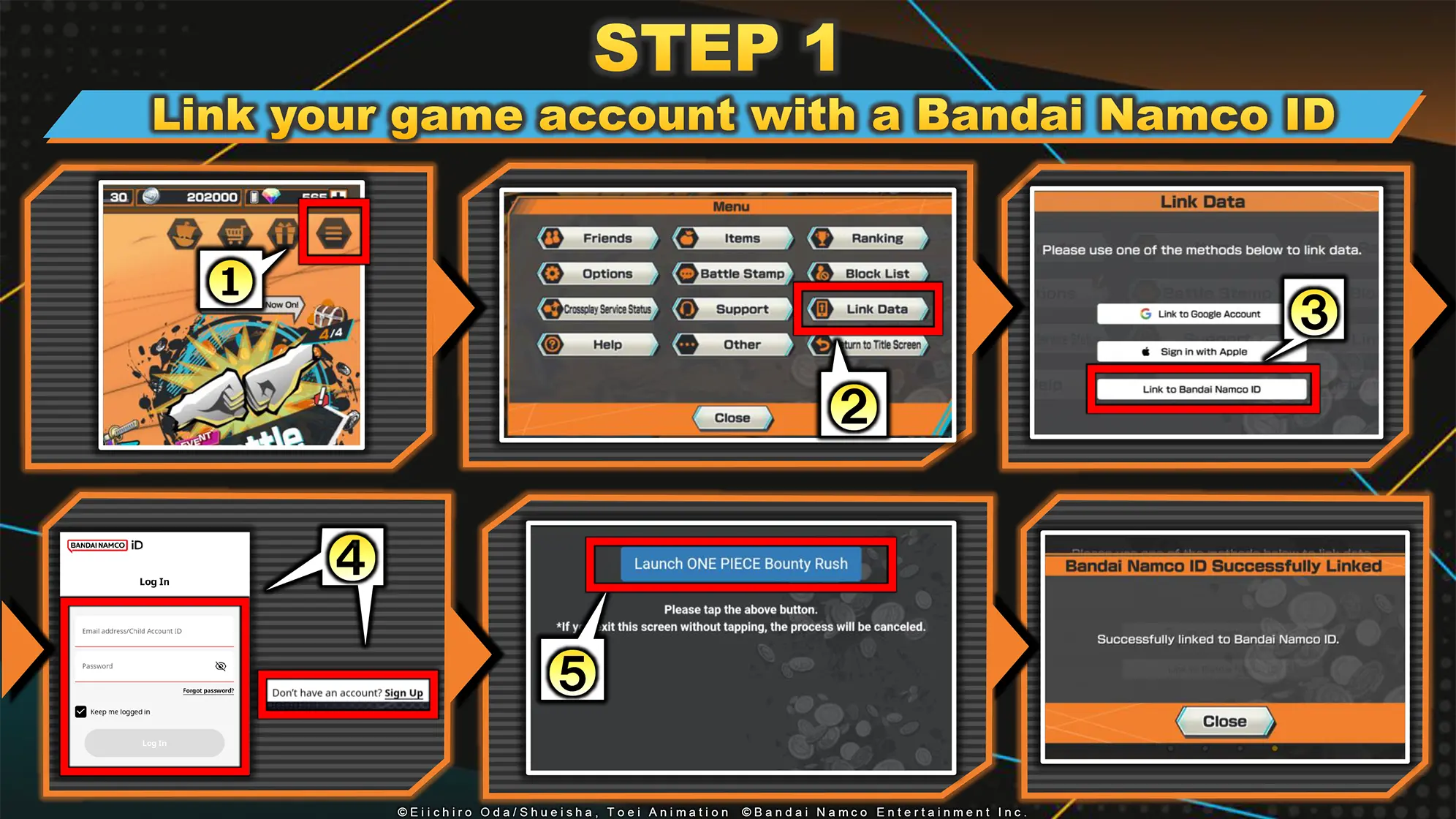
ID Link may not be enabled in the app.
Please check that "Link to Bandai Namco ID" is enabled in "Link Data".
Follow the instructions below to confirm.
Menu > Link Data
If "Link to Bandai Namco ID" has been enabled, the following screen will appear.Note: Only available to mobile users. Steam users can use the Web Store by enabling Multi-Login.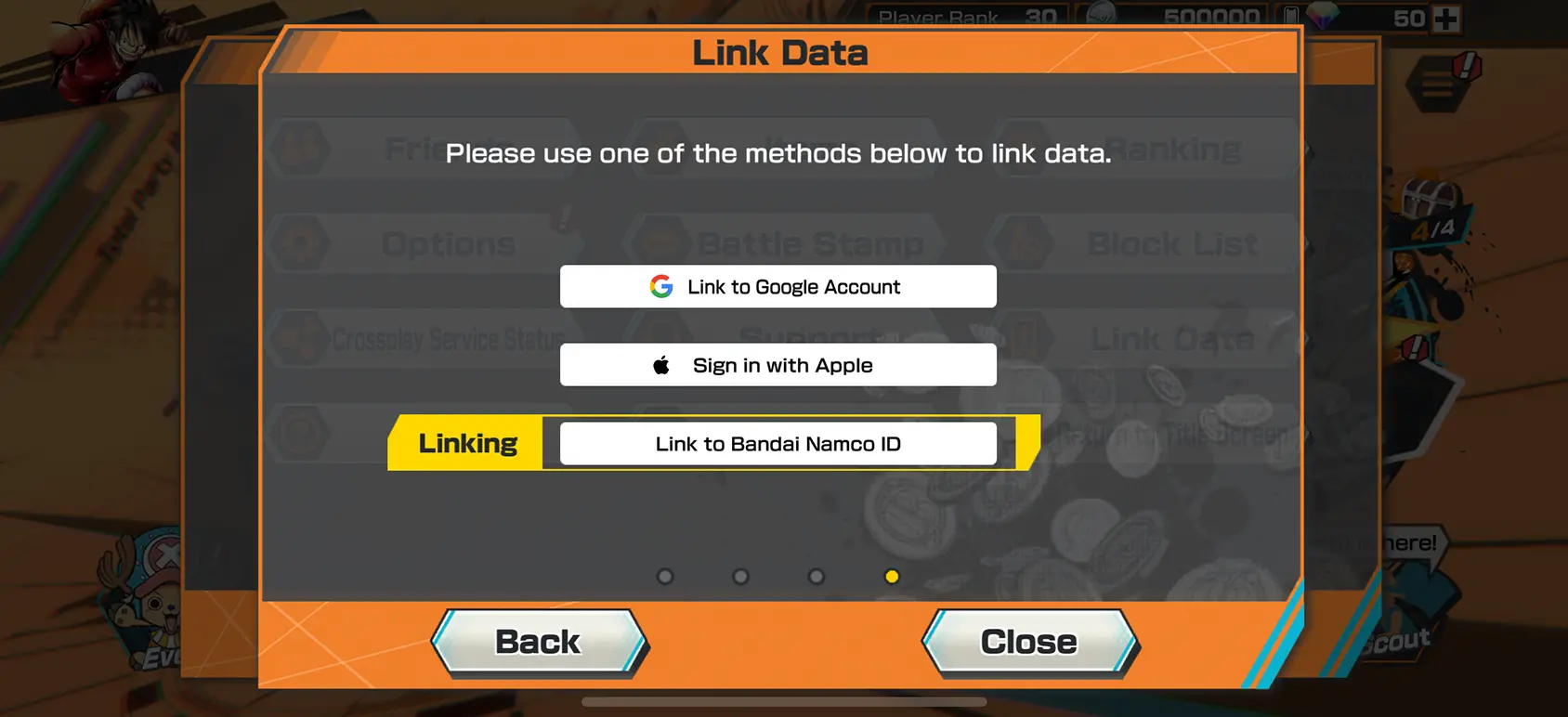
-
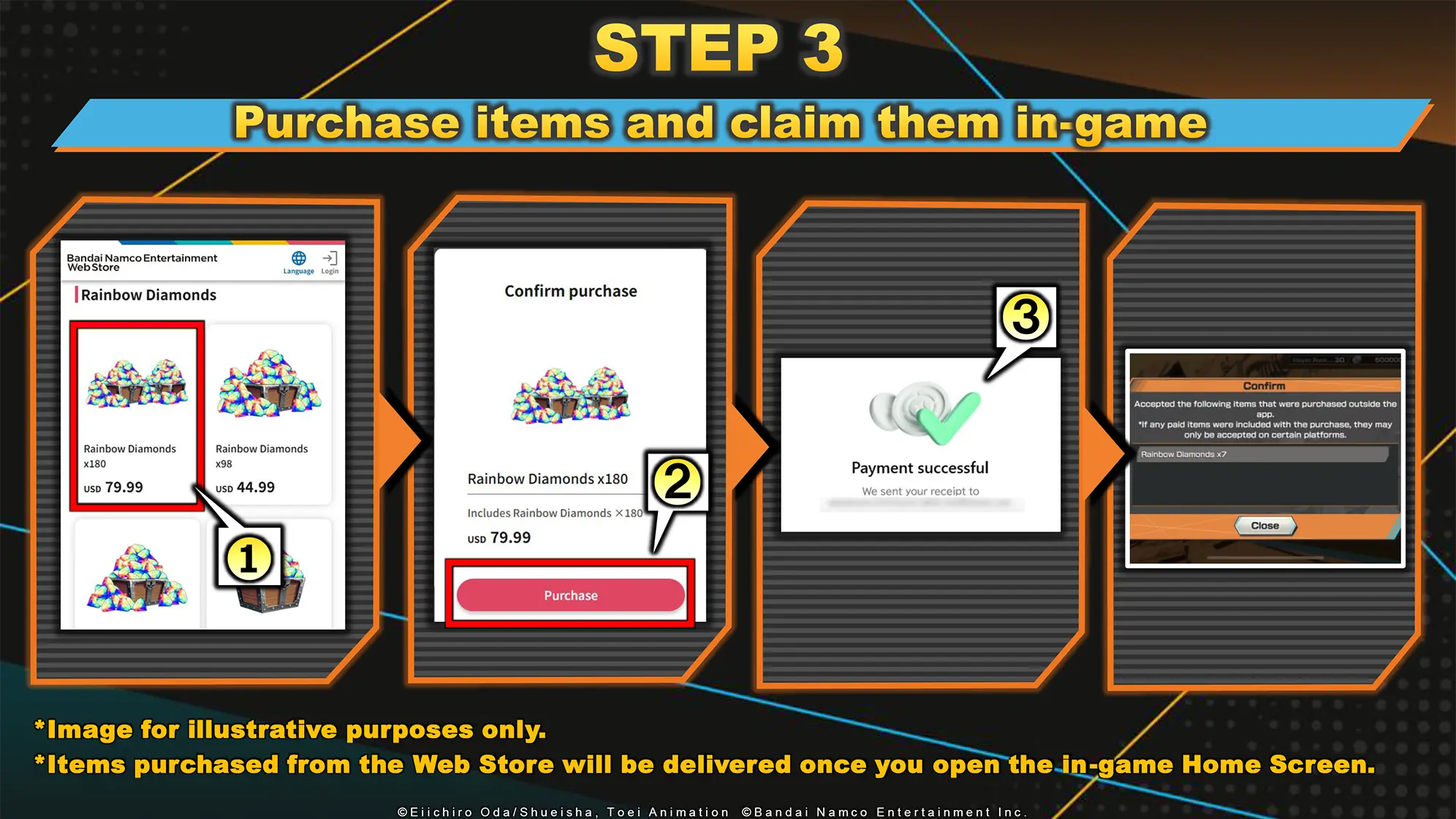
After making a purchase or exchange in the Web Store, open the Home Screen in the app to automatically receive your items.
・Paid Rainbow Diamonds will be added directly to your balance.
・All other items will be sent to your Gift Box.
If the items don’t appear, please try restarting the app.
Note: Items can only be claimed on the mobile version of the app. -
To use a promotion code, select 'Enter Promotion Code' on the screen.
Log in with your Bandai Namco ID, just as you would when making a purchase, and then enter the code.
Promotion codes will be announced during future live broadcasts and other promotion campaigns. -
Product purchases are limited to adults only.
The criteria for adults and minors are determined based on the laws of each country.
-
The Web Store accepts the following payment methods.
・AlipayHK
・Amazon Pay
・Apple Pay
・BitPay
・Crypto.com Pay
・Google Pay
・KakaoPay
・Naver Pay
・Paypal
・Toss
・Credit Card
Please check the FAQ on the official website below regarding other questions related to the Web Store.
https://bnfaq.channel.or.jp/title/3145 *Discounts differ depending on the country or region.*The Web Store is unavailable in some countries.
*There is a purchase limit for certain items on the Web Store.