

Web Store
的使用方法

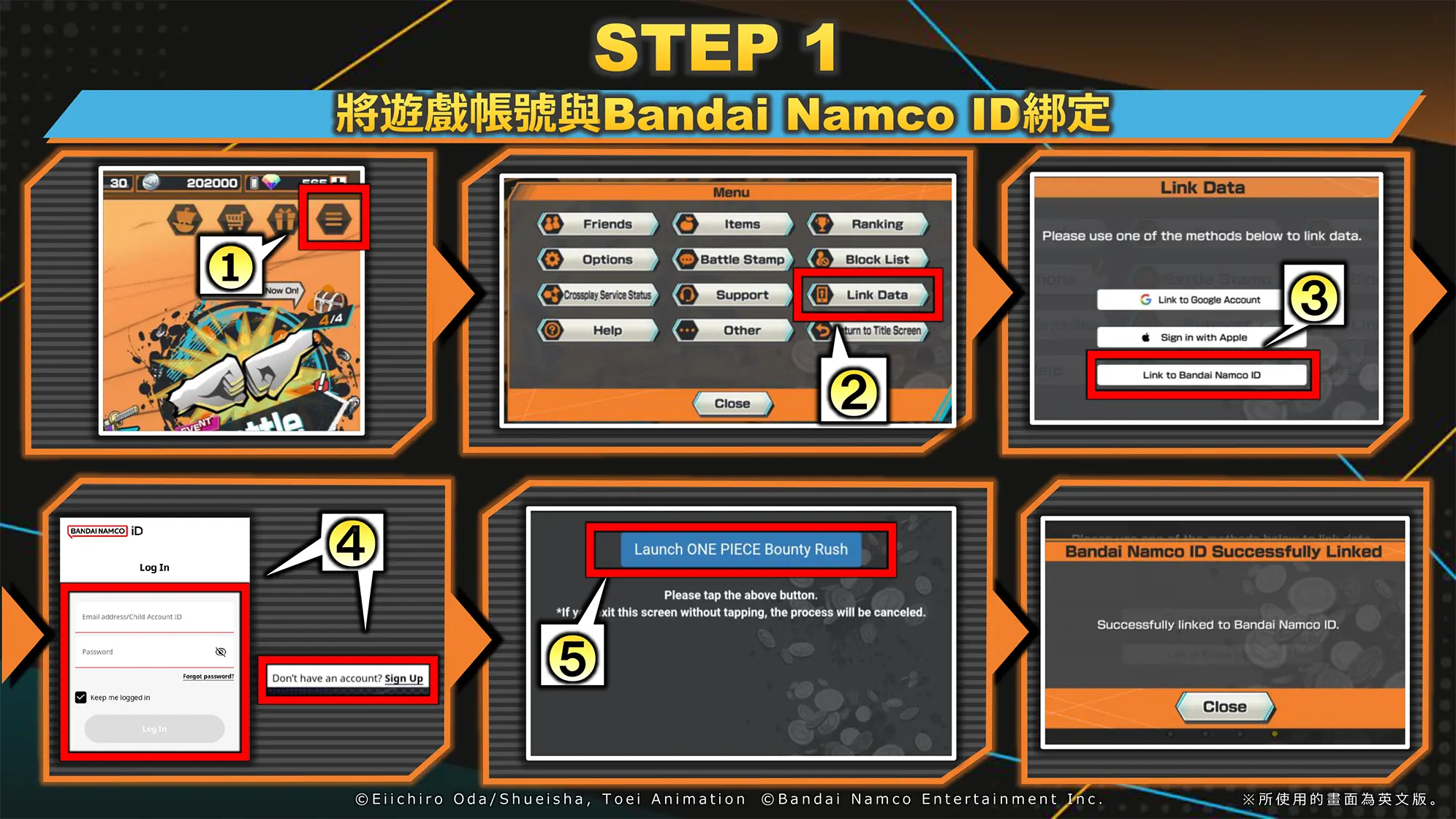
STEP1 Link your Game Account to Bandai Namco ID ①Game Menu②Data Setting③Bandai Namco ID Link④Login to or Register a New Bandai Namco ID⑤Launch ONE PEACE Bounty Rush⑥Complete
STEP2 Login to Web Store with Bandai Namco ID ①Launch ONE PEACE Bounty Rush from the Official HP or Search for Web Store②Click the Login Button③Login with Bandai Namco ID ※This is an image for reference only. ※Please check that the ID linked in the app and the ID used for Web Store login are the same.※To use Web Store, you need to register an email address with your Bandai Namco ID.
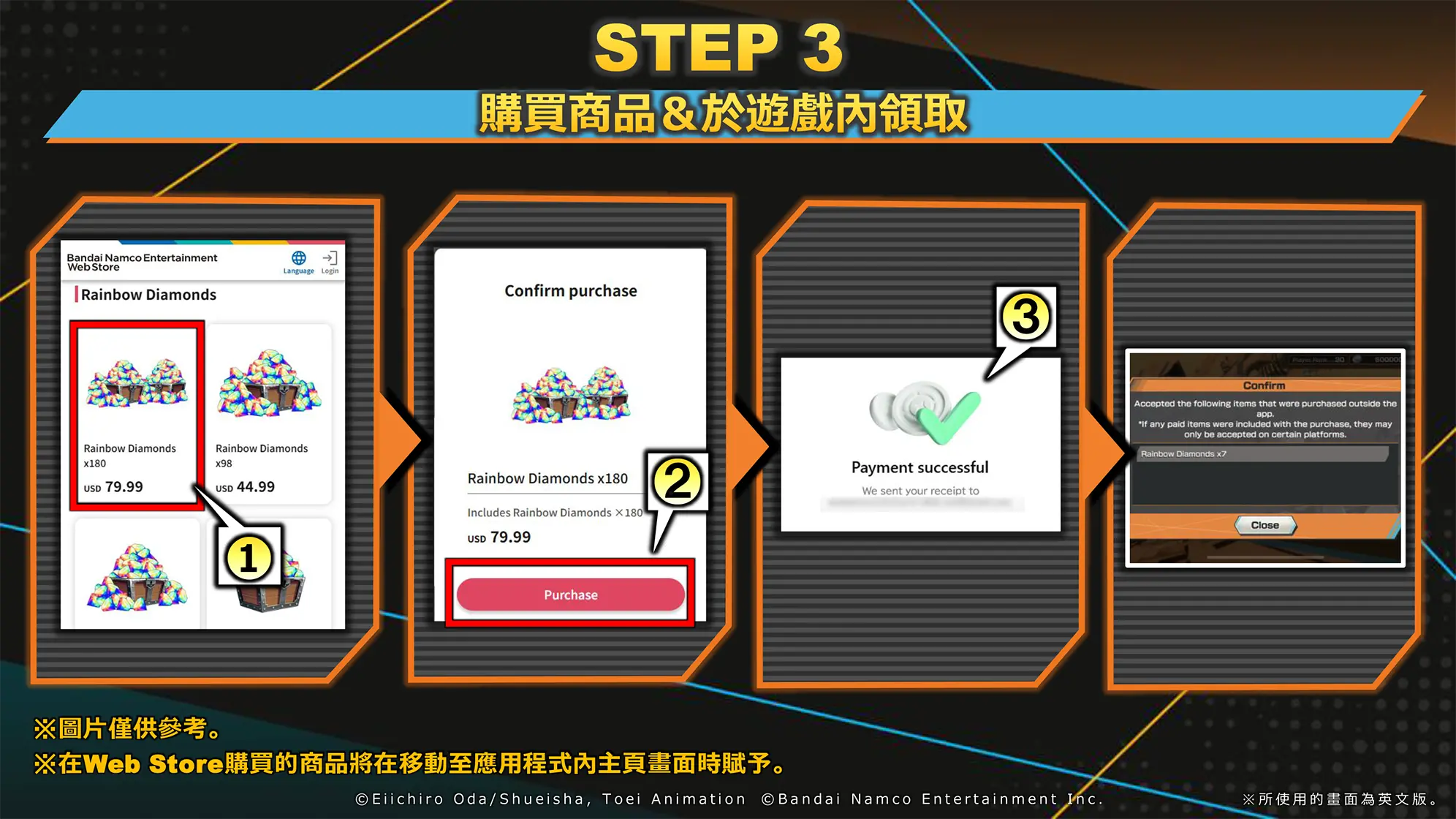
STEP3 Purchase & Receive in Game ①Select a product in Web Store②Click the Purchase Button③Purchase Complete④Receive in Game ※This is an image for reference only.※Items purchased in Web Store will be granted in the Home Screen of the app.
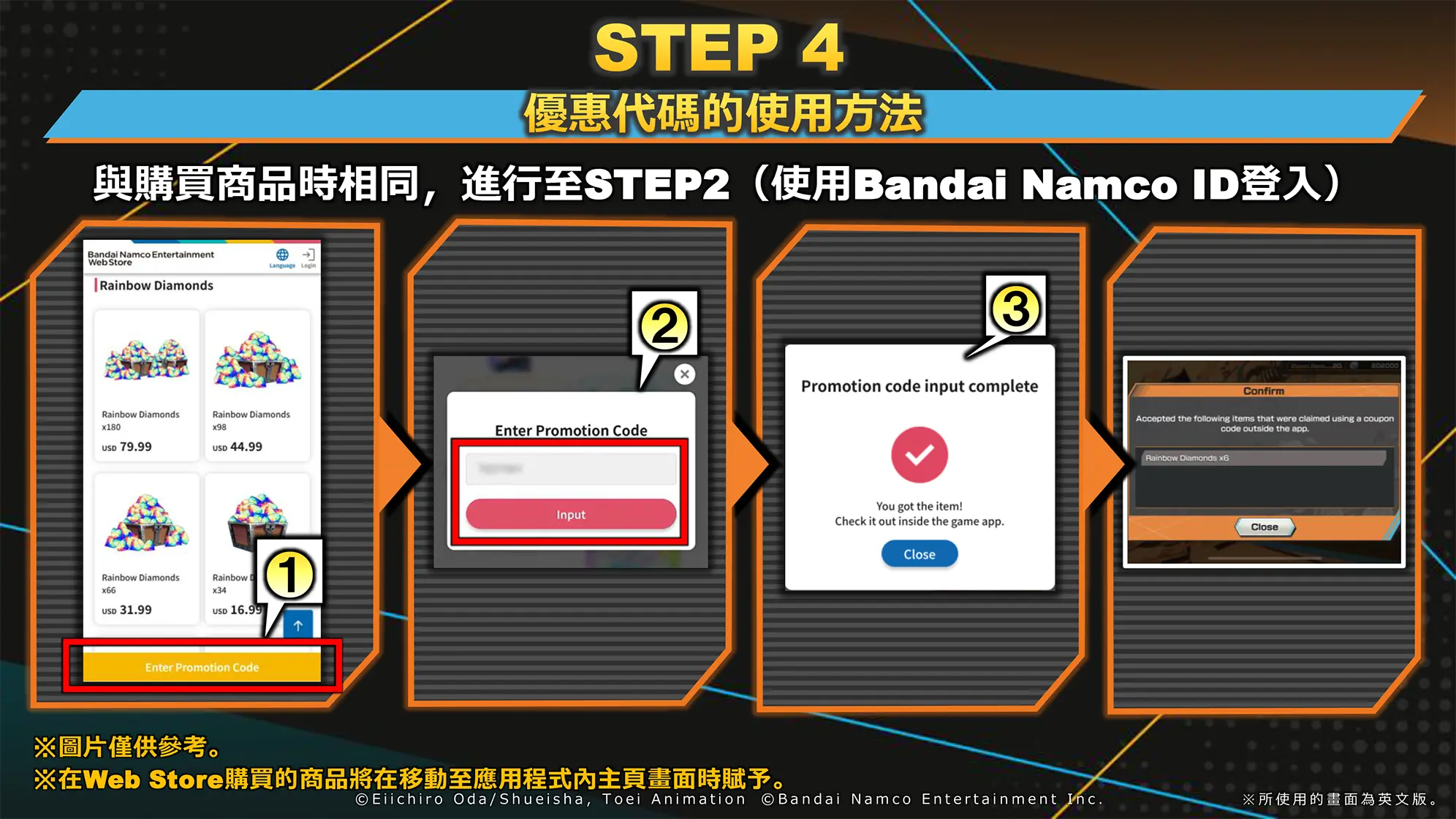
STEP4 How to Use Promotion Codes Proceed through to STEP2 (Log in with Bandai Namco ID), the same as when purchasing a product. ①Click the Promotion Code Input button②Enter the promotion code③Promotion code entry complete④Receive the product in-game ※This image is for reference only.※Items purchased in the Web Store will be granted when you go to the Home screen in the app.

FAQ

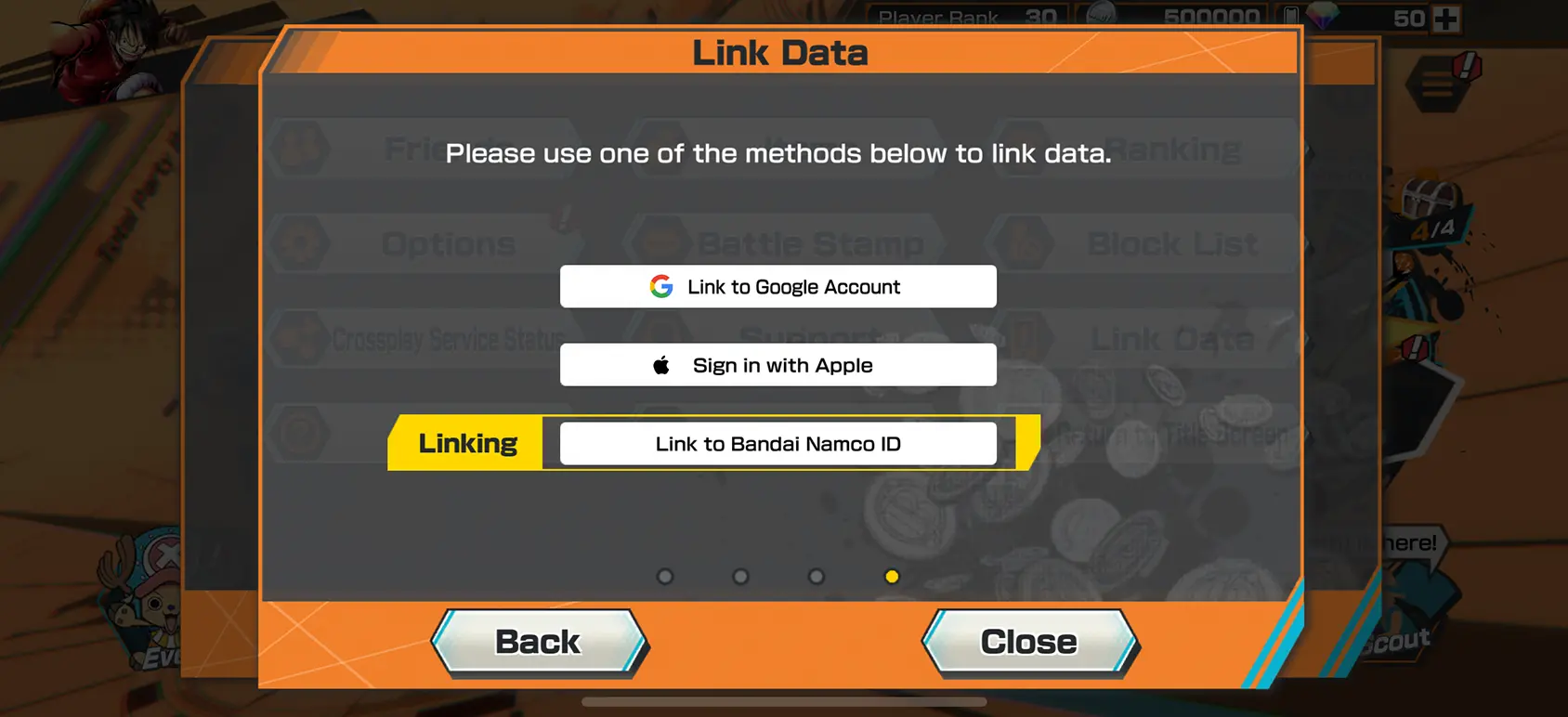
  • 應用程式內的ID可能未完成綁定。
    請從資料綁定確認是否選為綁定Bandai Namco ID。

    可透過以下流程進行確認綁定。
    選單>資料綁定
    Bandai Namco ID完成綁定後,將如同此畫面。
    Game Menu Screen & Data Link Screen Linking Bandai Namco ID
    ※僅行動裝置版可使用。遊玩Steam版之玩家也可透過多平台登入從行動裝置版使用。
  • 購買‧兌換Web Store的商品後,開啟應用程式內的主頁畫面即可自動領取商品。
    付費彩虹鑽石將會直接賦予。
    此外,付費彩虹鑽石以外的商品將會賦予至禮物盒。
    商品未反映時,請嘗試重新啟動應用程式。
    ※僅行動裝置版可領取。
  • 使用優惠代碼時,請選擇畫面中顯示的「輸入優惠代碼」。
    與購買商品時相同,使用Bandai Namco ID登入後輸入代碼。

    優惠代碼將於今後的直播等進行發表,敬請期待!
  • 商品僅限成年用戶購買。 關於成年與未成年的區分,將根據各國法令規定。
  • Web Store可使用以下付款方式。

    ・AlipayHK
    ・Amazon Pay
    ・Apple Pay
    ・BitPay
    ・Crypto.com Pay
    ・Google Pay
    ・KakaoPay
    ・Naver Pay
    ・Paypal
    ・Toss
    ・信用卡
    ・韓國的金融卡

其他與Web Store相關的問題,請由下方的FAQ網站進行確認。

https://bnfaq.channel.or.jp/title/3145 ※划算的內容會根據國家或地區而有所不同。
※部分國家將無法使用。
※根據Web Store的商品,購買次數將有所限制。